***
←
→
WEKA, aka Weka
[Waikato Environment (for) Knowledge Analysis]
|
History
WEKA began taking shape in 1992. During that time, ML algorithms :
* were implemented in several languages
* ran on multiple platforms
* had to be run with custom data formats
* were in essence, not inter-operable! Was not possible to test and compare learning algorithms, by having them operate on the same data on the same machine
Weka was conceived both as a toolbox of algorithms, and also as a workbench for implementing new ones.
Today, Weka is at (stable) version 3.8. Weka is open source, is written in Java (keeps everything portable, cross-platform).
Workbench
Collection of ML algorithms, visualization and data pre-processing tools, all accessible via GUI.
Makes it easy to compare algorithms.
Modular and EXTENSIBLE, via a Java API plugin scheme.
Includes algorithms in all the main categories - classification, clustering, rule learning, regression.
Can be used standalone, or as a library (in library mode, Weka functions can be invoked from your own Java client code).
UIs
WEKA's GUI chooser is what comes up first:

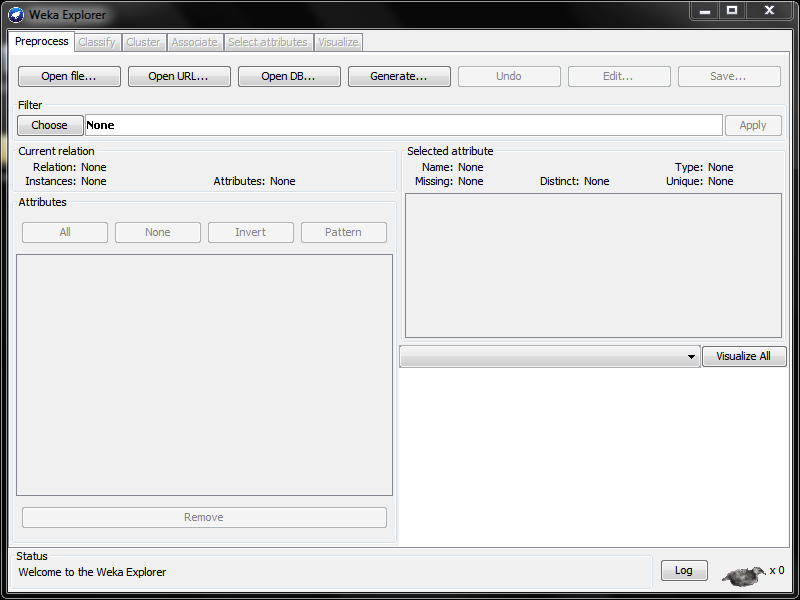
The Explorer panel provides the bulk of the functionality: data-preprocessing, ML algorithms, visualization.
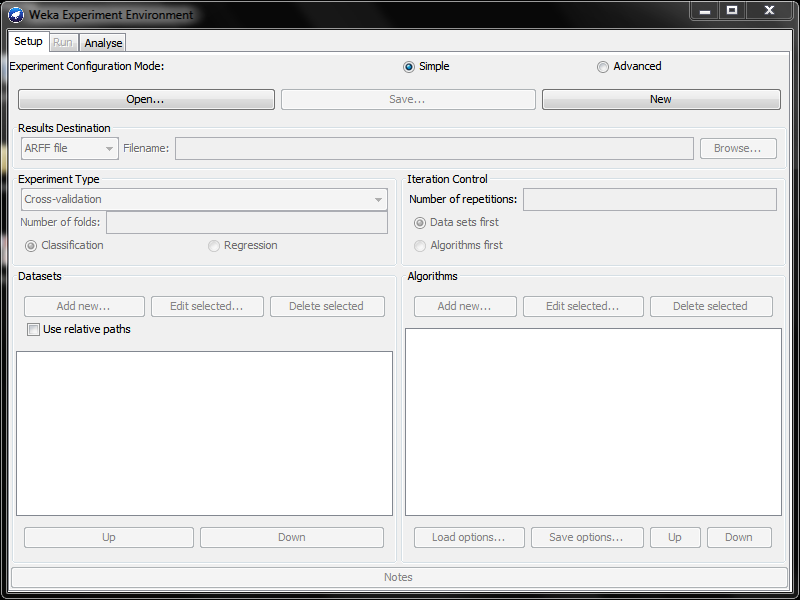
The Experimenter panel provides way to compare predictions of algorithms, based on a variety of criteria.
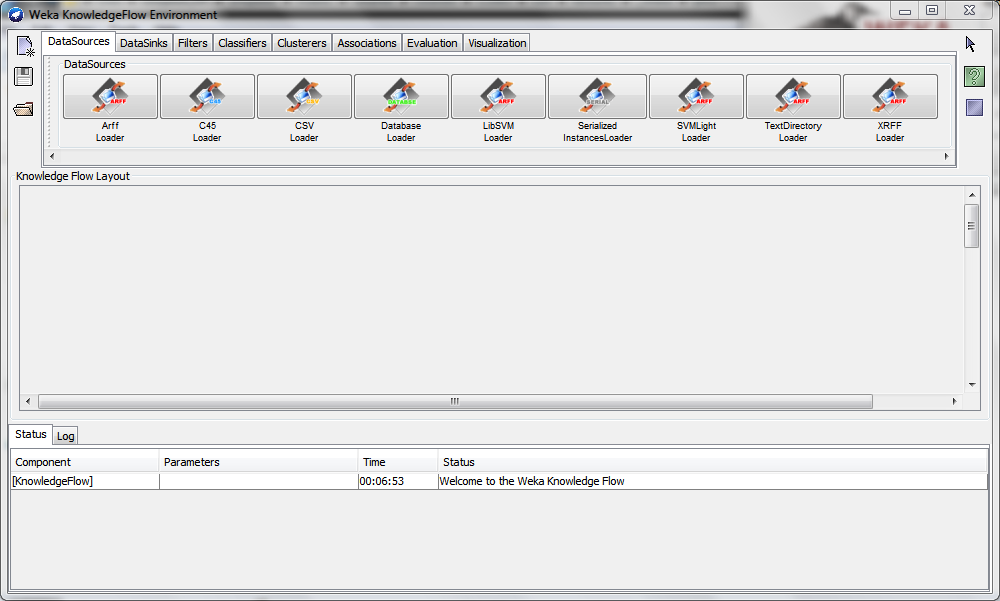
The Knowledge Flow panel permits incremental updates of ML algorithms (compared to Explorer, which is for batch processing).
And finally, it's possible to use Weka in command line mode too:
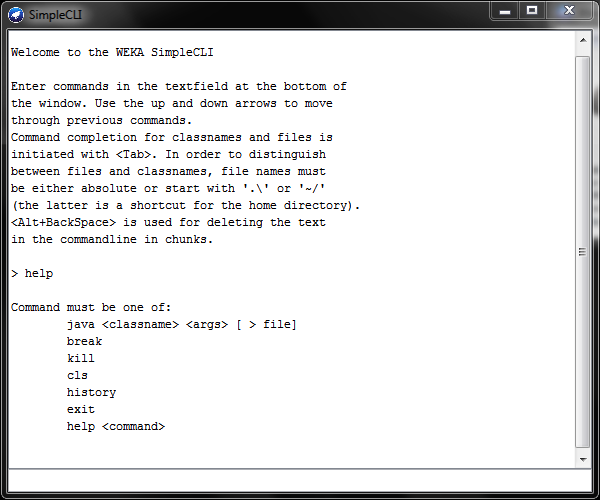
The CLI offers deeper functionality than the GUIs.
ARFF (Attribute Relation File Format)
Weka data can be expressed in a .arff file [Weka's native dataset format] which has a simple data layout:
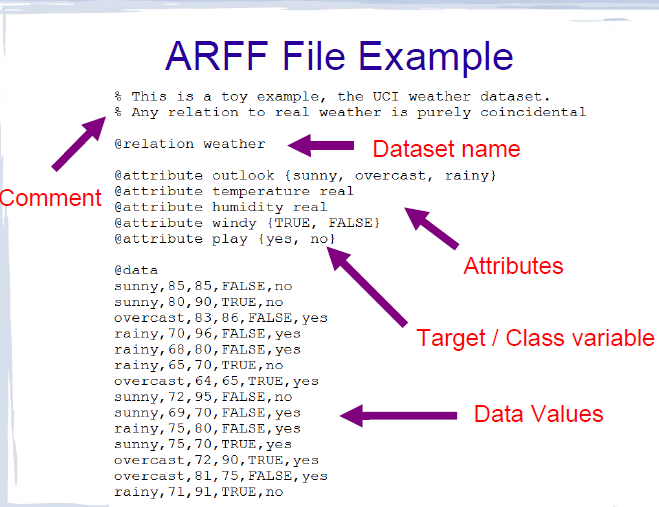
[from 'IntroductionToWeka.pdf']
Weka-based projects
Weka has been a stable, mature platform for so long that it has been used to base, or work in conjunction with, a variety of data-related projects (40+!):
* Linguistics: GATE, Bali, Senseval-2, Kea..
* Biology: BioWEKA, Epitopes Toolkit (EpiT)..
* Distributed, parallel systems: Weka-Parallel, GridWeka..
* Other data mining tools (these provide a 'bridge' to Weka, by supporting Weka's plugin format): Konstanz Information Miner (KNIME), RapidMiner, RWeka
* Scientific workflows: Kepler
Analysis: classification
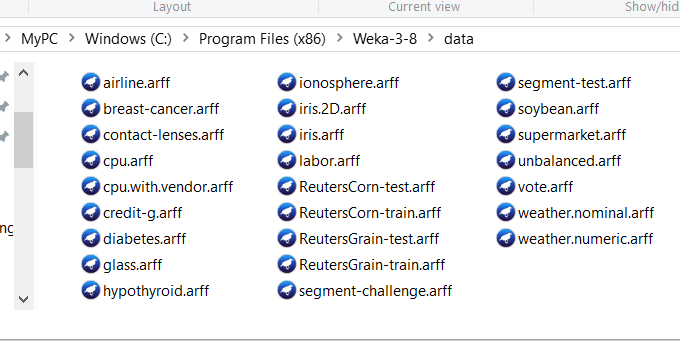
Let's classify irises, using data in the iris.arff dataset - Weka ships with many sample datasets, this is one of them - look for them all, in the data/ directory off your Weka installation:
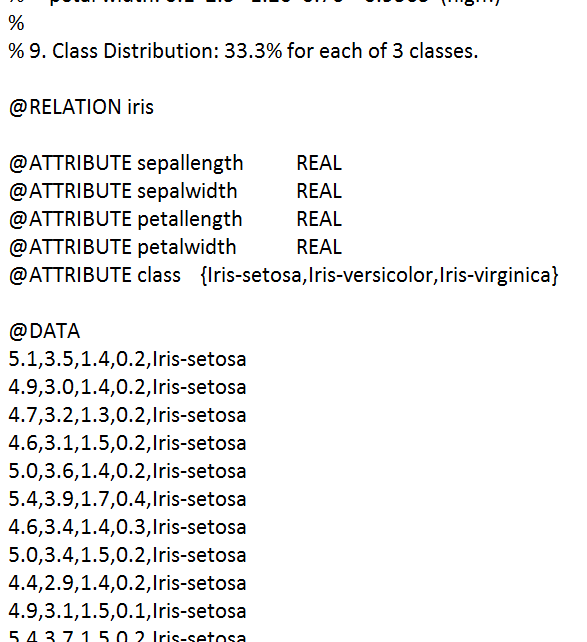
The Irises dataset ('iris.arff') contains 150 samples (rows of data), each with 4 attrs (columns); each sample has a known classification, into one of 3 types of irises:
Our goal is to run the data through a classifier - we will use a part of the data as 'training' data and the rest, as 'new' data, and see how much accuracy we get from the classifying algorithm - in other words, given rows of 'new' data (which is actually data for which we *do* know the iris type - shhh!), what % of rows will the algorithm classify correctly? Close to 100% accurate classification would be our desired goal.
Analysis: classification [cont'd]
We'll first classify the iris data using the 'no op' ZeroR classifier (which misclassifies a LOT of data because it "cheats" and "lies", which in turn is because it does not consider any actual sample feature data at all!) as a baseline metric, then switch to using J48 (which is the Java version of C4.8, which is itself an extension of the famous C4.5 algorithm) for the classification task.
Here is a clip that shows the analysis and the result. As you could see, J48 classifies the ('outcome unknown') data with 94% accuracy - good!
The analysis takes mere seconds to do - all GUI-driven, no coding, config files to set up, etc.. :)
Analysis: regression
Let us build a multi-linear regression out of this housing dataset - we have 6 variables (houseSize etc), 7 data points, and (known) house prices:
@RELATION house

@ATTRIBUTE houseSize NUMERIC
@ATTRIBUTE lotSize NUMERIC
@ATTRIBUTE bedrooms NUMERIC
@ATTRIBUTE granite NUMERIC
@ATTRIBUTE bathroom NUMERIC
@ATTRIBUTE sellingPrice NUMERIC

@DATA
3529,9191,6,0,0,205000
3247,10061,5,1,1,224900
4032,10150,5,0,1,197900
2397,14156,4,1,0,189900
2200,9600,4,0,1,195000
3536,19994,6,1,1,325000
2983,9365,5,0,1,230000
After reading in the file, we pick LinearRegression under Classify->Functions, make sure sellingPrice is set to be the dependent variable (by default, Weka will pick the right-most attr, so we should structure our data that way), then press Start.
Very quickly, Weka calculates regression coeffs for the best line through the data:
sellingPrice = (-26.6882   * houseSize) +
                           (7.0551     * lotSize) +
                      (43166.0767 * bedrooms) +
                      (42292.0901 * bathroom)
                      - 21661.1208
So from here on, given attrs for a house to be sold, we can come up with a good suggested price for it.
-26.6882*houseSize is odd [why?]! houseSize is not an indep variable, we need to remove it (in Preprocessing), re-run the model to get a better equation.
This clip shows the above steps..
Analysis: clustering
Let us analyze customers' 'browsing' data at a BMW car dealership..
We use SimpleKMeans (under Cluster) as the algorithm.
Looking at the cluster data, we can observe interesting behaviors, all the way from 0% buying to 100% buying (after having looked at BMWs).
This clip shows the clustering being carried out.
Learning more
If you want to get deep into Weka, here are key resources:
- THE Weka book is now in its third edition - it offers a THOROUGH treatment of all the algorithms found in Weka's menus [just take a look at the table of contents!]
- Data Mining with Weka: an online course offered by Weka's creators
- More Data Mining with Weka: a followup course